Dynamics 365 Testing, ERP Testing
D365 Regression Testing: Moving Beyond Manual Cycles Before RSAT's 2027 Deadline
Introduction
Key takeaways
Microsoft has confirmed that the Regression Suite Automation Tool (RSAT) reaches end of support on May 15, 2027. After that date, there is no maintenance, no bug fixes, and no support, so any regression suite still running on RSAT needs a migration plan now.
D365 ships two major release upgrades a year plus monthly minor updates, and each one is a chance for an untested change to reach production.
RSAT cannot validate performance or cross-browser behavior, and it cannot orchestrate a single test across Finance, SCM, and CRM in one flow, which is where most cross-module business processes actually live.
No-code platforms like Avo Assure let business analysts and functional consultants build and maintain tests without writing code, closing the coverage gap RSAT leaves behind.
Self-healing, Business-Aware, Accountable AI automation adapts to D365 upgrades without script rework, cutting maintenance effort by up to 85 percent.
Microsoft Dynamics 365 sits at the center of finance, sales, customer service, and supply chain operations for most enterprises running it. Every update, customization, and third-party integration is a chance for something in that chain to break, and regression testing exists to catch it before it reaches production.
Why Regression Testing Is Critical for Dynamics 365
Dynamics 365 integrates ERP and CRM functionality, so a single update can touch finance, operations, sales, and customer service at once. Regular updates, customizations, and third-party integrations can inadvertently introduce bugs or disrupt existing functionality. Regression testing exists to confirm that recent changes have not broken what already worked.
What Is Regression Testing?
Regression testing is the process of re-executing functional and non-functional tests to verify that updates, patches, or customizations have not broken existing features. For Dynamics 365, that means confirming that the business processes running through Finance, Sales, Customer Service, and Supply Chain Management still work correctly after every modification, not just that the individual screens still load.
The Challenges of Manual Regression Testing
Manual regression testing is repetitive, resource-intensive, and difficult to sustain at the pace Dynamics 365 releases updates. Common challenges include:
- Time-Consuming: Testing large Dynamics 365 environments manually can take days, and a full regression cycle across multiple modules often runs into weeks.
- Resource-Intensive: Manual testing pulls functional consultants and business analysts away from higher-value work every release cycle.
- Scalability Issues: As the environment grows and more processes are automated or customized, manual testing becomes harder to sustain.
- Delayed Feedback: Manual cycles slow down go/no-go decisions and can push back release dates.
- Incomplete Cross-Module Coverage: Manual testing rarely validates a process end to end across Finance, SCM, and CRM in a single pass, which is exactly where many post-update failures surface.
Why RSAT Alone Is Not the Long-Term Answer
For many organizations running Dynamics 365, Microsoft's own Regression Suite Automation Tool (RSAT) is the first tool teams reach for. It is free, built by Microsoft, and integrates natively with Task Recorder and Azure DevOps. For smaller, single-module regression needs, that combination can work well for a while.
The limitations tend to surface as environments grow. RSAT has no built-in way to test performance or cross-browser behavior, and it depends on PowerShell scripting and manual Excel work to maintain. It also cannot orchestrate a single test that spans Finance, SCM, and CRM in one flow, which means cross-module business processes, the ones most exposed to risk during an update, are left only partially covered.
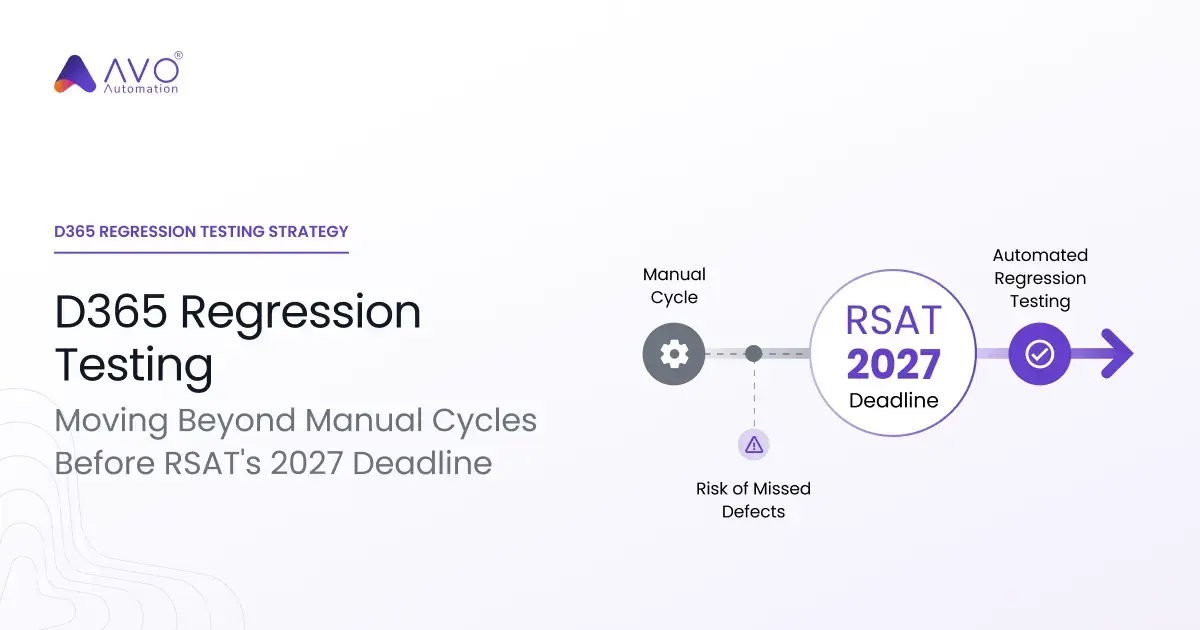
There is also a fixed deadline attached to this decision. Microsoft has confirmed RSAT's official end of support: May 15, 2027. After that date, there is no maintenance, no bug fixes, and no support. Teams with large regression suites still built on RSAT need a migration plan now, not when the deadline is weeks away.
RSAT vs. Avo Assure for Dynamics 365 Regression Testing
|
Capability |
RSAT |
Avo Assure |
|
Cost |
Free, built into D365 tooling |
Licensed, no-code Business Process Assurance platform |
|
Coding required |
PowerShell scripting and manual Excel maintenance |
No-code, business analysts and functional consultants build and maintain tests |
|
Cross-module orchestration (Finance, SCM, CRM) |
Not supported in a single flow |
Native cross-module test orchestration from one platform |
|
Performance testing |
Not supported |
Supported as part of platform coverage |
|
Cross-browser testing |
Not supported |
Supported as part of platform coverage |
|
Maintenance after UI or release changes |
Manual script rework required |
Self-healing automation adapts to upgrades, cutting maintenance effort by up to 85 percent |
|
Support after May 15, 2027 |
None, end of support confirmed by Microsoft |
Actively supported and maintained |
Avo Assure: Business Process Assurance for Dynamics 365
Avo Assure is Avo's no-code platform for Dynamics 365 business process assurance, built on Business-Aware, Accountable AI. Rather than asking whether a script passed, it validates whether the underlying business process still holds up after every update, patch, and upgrade.
Church & Dwight used Avo Assure to cut regression testing effort by 80 percent, the kind of reduction D365 teams weighing a move off RSAT can expect from replacing manual and script-based cycles with business-aware automation.
Key Capabilities
- No-Code Automation: A drag-and-drop interface that lets business analysts, functional consultants, and process owners build and maintain tests without writing code.
- Pre-Built D365 Libraries: Ready-to-use test logic for common Dynamics 365 workflows, so teams are not starting from a blank page for every module.
- Cross-Module Coverage: Test across Finance, Sales, Customer Service, and Supply Chain Management modules from a single platform, closing the cross-module gap RSAT leaves open.
- Self-Healing Automation: AI-based heuristic matching detects UI shifts across element IDs, attributes, selectors, and layouts, so tests recover automatically instead of breaking with every release. Maintenance effort drops by up to 85 percent as a result.
- Parallel Execution: Run tests concurrently to shorten full regression cycles that would otherwise take a multi-person team multiple weeks.
- Enterprise-Ready: Built to scale across complex, multi-module Dynamics 365 environments as your automation footprint grows, supporting 200+ technologies across web, desktop, ERP, and mainframe.
What This Means in Practice
- Release Confidence: Automated regression testing gives teams a clear, evidence-based answer on whether the business can operate safely after a D365 update, not just whether a script passed.
- Business Users Freed for Higher-Value Work: No-code automation lets functional consultants and business analysts spend less time on repetitive regression and more time on exception handling and release readiness.
- Coverage Intelligence: Coverage Intelligence highlights what changed and what is still exposed, so teams know where to focus before the next release.
- Stable Business Processes: Cross-module, self-healing coverage means the Order-to-Cash, Procure-to-Pay, and Hire-to-Retire processes running through D365 keep working the way they are supposed to, release after release.
Getting Started with Avo Assure
- Book a Demo: Visit avoautomation.com and book a 30-minute, no-obligation demo to see Avo Assure applied to your own Dynamics 365 environment.
- Connect Your Dynamics 365 Environment: Use Avo Assure's pre-built D365 libraries to connect and start building test cases without custom setup.
- Build Test Cases with a No-Code Interface: Use Avo's intuitive UI to design test cases without writing a line of code.
- Execute Automated Tests: Run test cases in parallel across modules and environments.
- Review Results with Coverage Intelligence: See what changed, what is still at risk, and where to focus before the next release.
Where This Shows Up: Dynamics-Aware Testing in Practice
- Finance: Validate invoice generation, payment processing, and budget management stay correct after every update.
- Sales: Confirm lead management, opportunity tracking, and sales order processing still function end to end.
- Customer Service: Verify case management and knowledge base workflows behave as expected.
- Supply Chain Management: Test inventory management, procurement, and order fulfillment processes across the full flow, not just in isolation.
Conclusion: RSAT Gets You Started, Not to the Finish Line
Every Dynamics 365 release carries risk to the business processes running on top of it. Ensuring those processes still work is not optional.
Manual regression testing cannot keep pace with D365's release cadence, and RSAT alone was never built to carry a full-scale rollout across Finance, SCM, and CRM. Avo Assure replaces both with no-code, self-healing Dynamics 365 test automation that validates whether your business processes still work after every update, not just whether a script passed.
Every Dynamics 365 release is a business risk. Avo turns it into a competitive advantage, with Business-Aware, Accountable AI behind every test.
Book your D365 demo (30 min, no obligation)
Frequently Asked Questions
Is RSAT being retired?
Yes. Microsoft has confirmed...
Yes. Microsoft has confirmed RSAT's official end of support for May 15, 2027. After that date, there is no maintenance, no bug fixes, and no support for the tool.
What can't RSAT test in Dynamics 365?
RSAT covers functional regression...
RSAT covers functional regression through Task Recorder, but it has no built-in way to test performance or cross-browser behavior, and it cannot orchestrate a single test across Finance, SCM, and CRM in one flow.
How often does Microsoft update Dynamics 365?
D365 ships two major upgrades a...
D365 ships two major upgrades a year, plus monthly minor updates for critical fixes and regulatory changes. Each one is a chance for an untested change to reach production.
Do I need to know how to code to use Avo Assure?
No. Avo Assure is a...
No. Avo Assure is a no-code platform, so business analysts, functional consultants, and process owners can build and maintain tests without writing scripts.
What systems does Avo Assure test beyond Dynamics 365?
Avo Assure covers SAP, Oracle...
Avo Assure covers SAP, Oracle, Salesforce, ServiceNow, and custom enterprise applications alongside D365, plus the integrations connecting them.
How is Avo Assure different from a traditional test automation tool?
Traditional tools tell you whether a script...
Traditional tools tell you whether a script passed. Avo Assure applies Business-Aware, Accountable AI to tell you whether the underlying business process still works after the change, with self-healing automation that adapts to UI and functional shifts without script rework.
How do I start moving off RSAT before the 2027 deadline?
Start by mapping your existing RSAT...
Start by mapping your existing RSAT test assets against your critical business processes. Book a D365 demo to see how Avo Assure migrates existing RSAT assets into resilient, business-aware automation.